

BLOG
Four-axis and rotary CNC control: compare A18, B18 and B58
The four-axis label alone does not make controllers interchangeable; signal and workflow still matter.
On this page
Four-axis and rotary controllers should be compared by the actual motion path and machine interface. A shared axis count is not proof that one model can replace another without configuration and signal checks.
Define the rotary workflow#
Describe the machine in terms that can be checked: which axis is rotary, whether the work uses indexed or coordinated motion, which drivers are installed and how the operator normally runs the job. This creates a practical basis for comparing A18, B18 and B58.
| Review area | What to verify | Selection risk if skipped |
|---|---|---|
| Axis mapping | Which physical axis is assigned to rotary motion | The controller setup may not match the machine mechanics |
| Driver signals | Signal type, wiring and expected control method | A connector or label can hide incompatible signalling |
| Cabinet I/O | Inputs, outputs and existing interlocks | Machine functions can be lost during replacement |
| Operator workflow | Program format, setup procedure and daily use | A nominal feature match can still disrupt production |
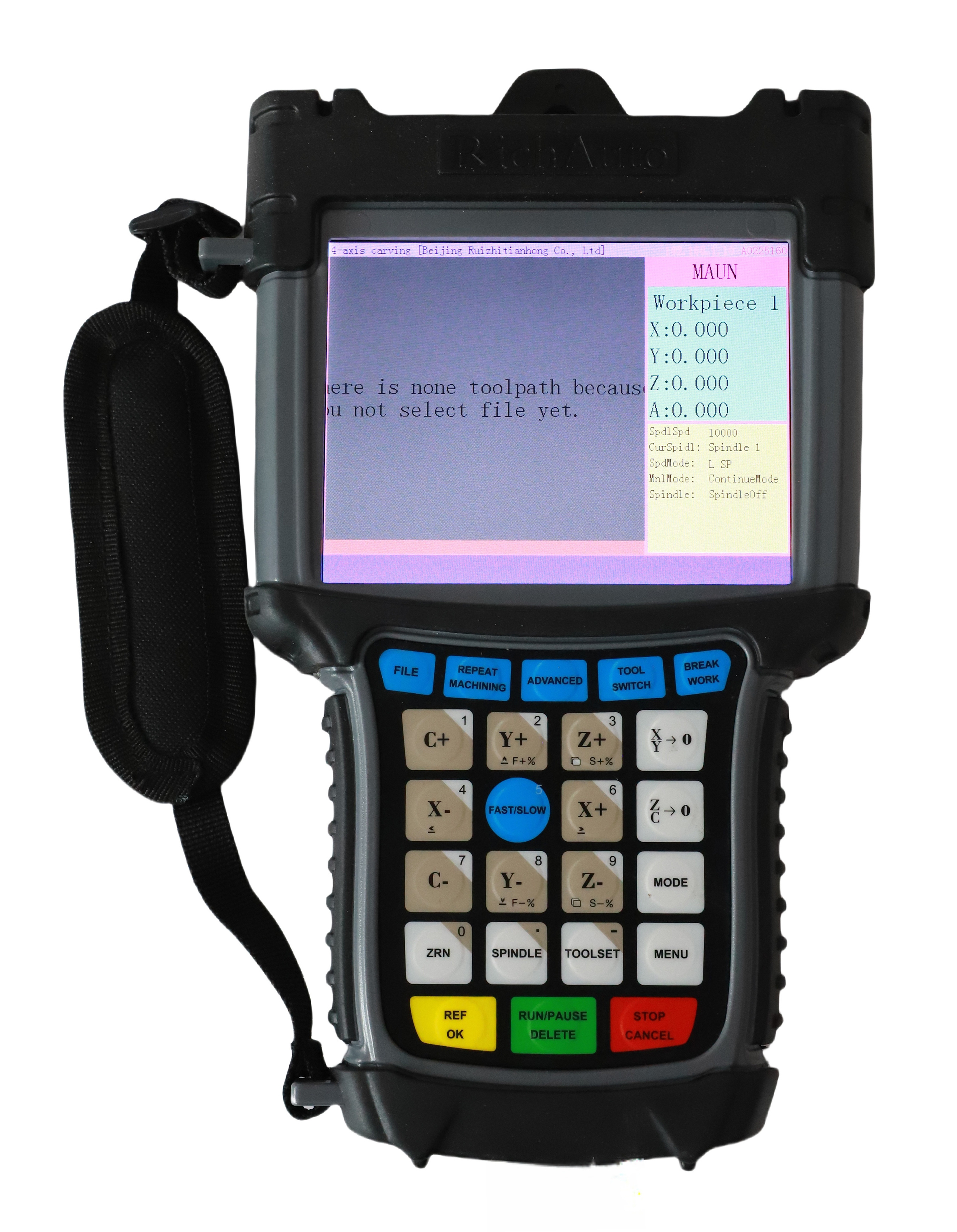
Use the series as a starting point#
A18, B18 and B58 are retained for four-axis or rotary evaluation. Use their published feature sets to start a compatibility conversation, then compare the exact revision and machine requirements rather than treating the family name as a substitute guarantee.
A18#
Evaluate A18 for a four-axis rotary path after the axis mapping and machine interface are known. Its suitability depends on the machine’s actual drivers, wiring and intended coordinated work.
B18#
Use B18 as a B-series reference when its operating and signal requirements can be compared with the existing cabinet. Verify the installed controller label and the relevant connections before treating it as a direct replacement.
B58#
Evaluate B58 when its published four-axis and rotary features fit the verified workflow. The review should still cover the machine interface, not only the operator-side controller.
Prepare a replacement review#
Use the following brief to compare a candidate controller with the current machine:
Machine and rotary application:
Current controller model and revision:
Rotary axis mapping and driver labels:
Cabinet I/O and connector photos:
Required program workflow:
Known faults or functions that must be retained:Practical next step#
For a complete controller shortlist, read the machine-application guide. If the machine also uses automatic tool changing, review the ATC DSP controller checklist and include both the rotary and tool-change requirements in the RFQ.